One place for everything school throws at you.
Most people organise school across a to-do app, a calendar, a notes app and a photo of the whiteboard. School Planner is one organiser built for school specifically — your timetable, homework, exams, grades and attendance in a single place that understands what a term is.
Free to start on the web, iPhone and Android. Whichever you open, it's the same account.
The usual arrangement
None of these were built for school. They're just what was already on the phone.
A general to-do app has no idea what a subject is. A calendar can't tell you your grade average. A notes app won't remind you that an essay is due Thursday. Each one holds a piece, and you become the thing joining them up — which works right up until the week you're too busy to do it.


- …and the group chat.
What it replaces
Four questions, and the parts of the app that answer them.
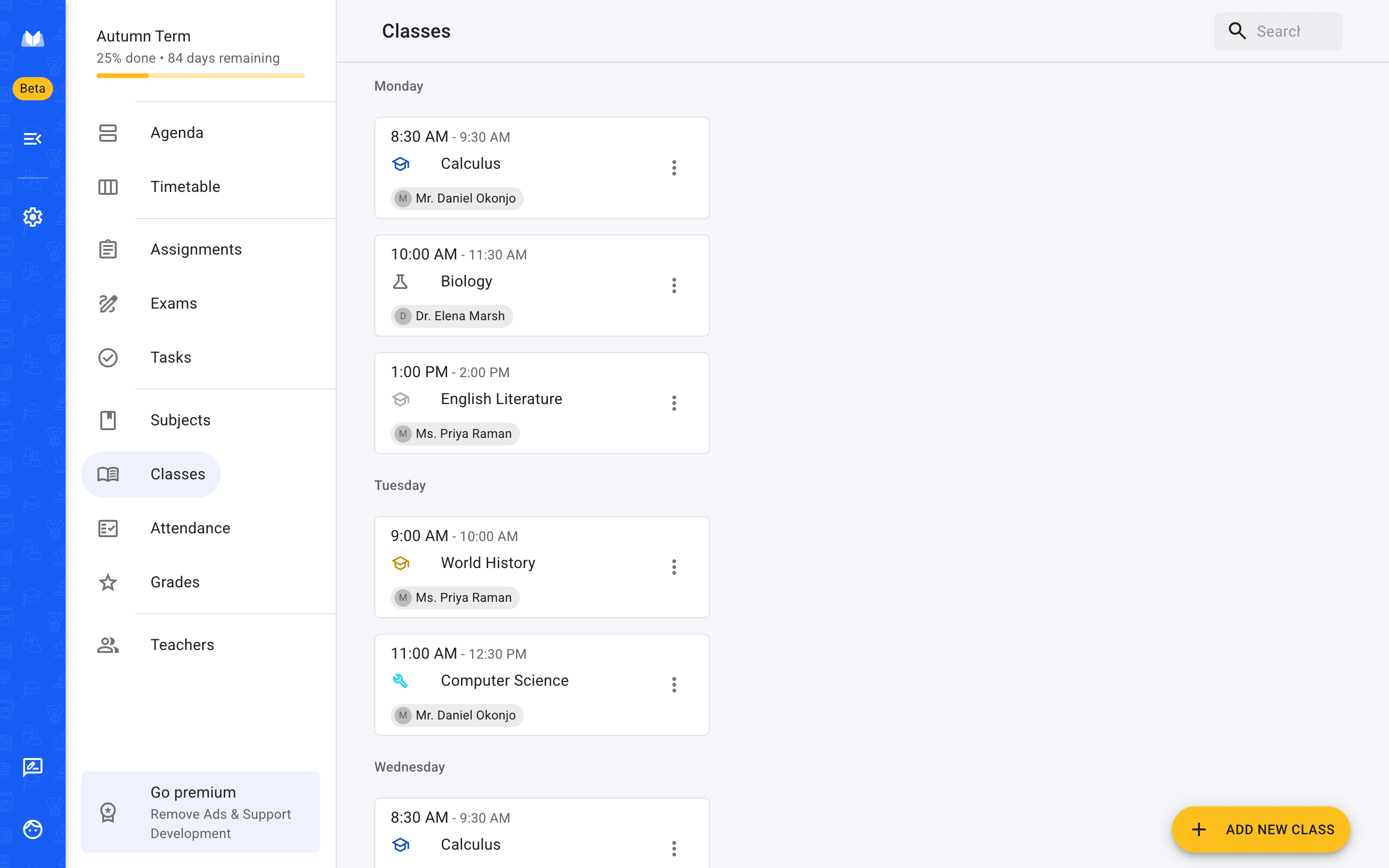
Where do I need to be?
Timetable · Classes · Subjects
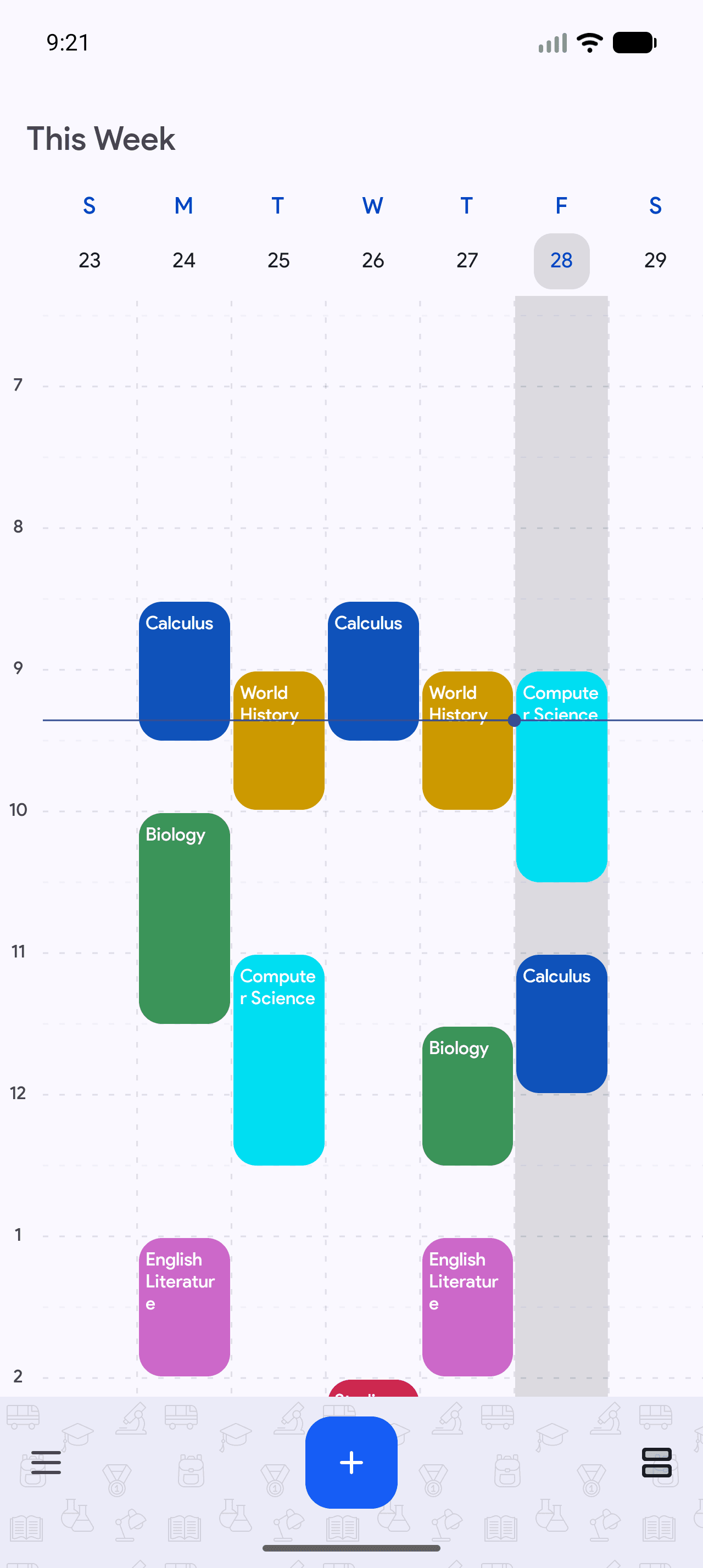
Your week, built once. Classes repeat weekly or fortnightly on odd and even weeks, one-off lessons get their own date, and a cancelled session is marked cancelled rather than deleted — so the timetable matches the term you're actually in.
What's due, and when?
Assignments · Exams · Tasks
Homework with a subject, a due date and room for the whole brief. Star what matters, tick things off, set a reminder for the deadline that's three weeks out. Work that's overdue stays where you can see it.
How am I actually doing?
Grades · Attendance
Grades recorded per subject as you get them, so the end of term isn't a shock. Attendance tracked per day or per subject, with absences marked excused or not — for the conversation where someone asks you to account for them.
Who do I ask?
Teachers
Names, subjects, office locations and office hours, attached to the classes they teach. It sounds trivial until you need to email someone about a deadline at nine in the evening.
Subjects
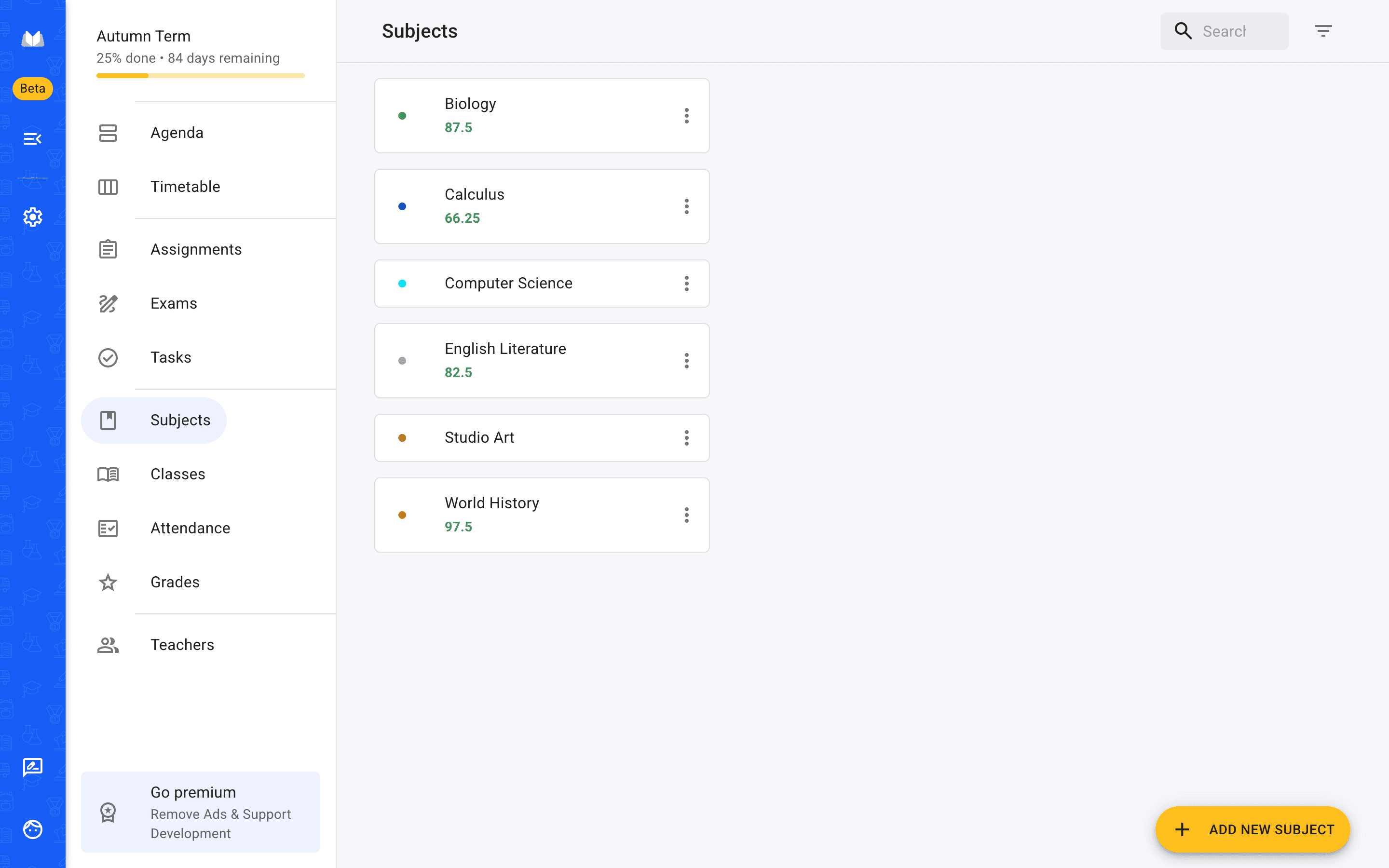
Everything hangs off the subject
A subject carries its colour, its room and its teacher, and everything else points at it — the classes in your timetable, the homework that was set, the grades that come back, the attendance you record. That is the part a general to-do app has no way to represent, and the reason the rest of it can group itself without you doing the filing.
Why school-specific matters
A task list can hold your homework. It just can't tell you anything about it.
Because School Planner knows what a subject, a term and a class are, it can do things a general organiser structurally cannot: show homework grouped by the subject that set it, put an exam next to the lessons leading up to it, work out where your grades are heading, and carry the whole lot into next term without you rebuilding it. That's the difference between somewhere to write things down and something that's actually organising school for you.
One organiser, three places
The same organiser wherever you open it.
One account across iPhone, Android and any browser. Add a class on a laptop at home and it is on your phone before the next lesson.
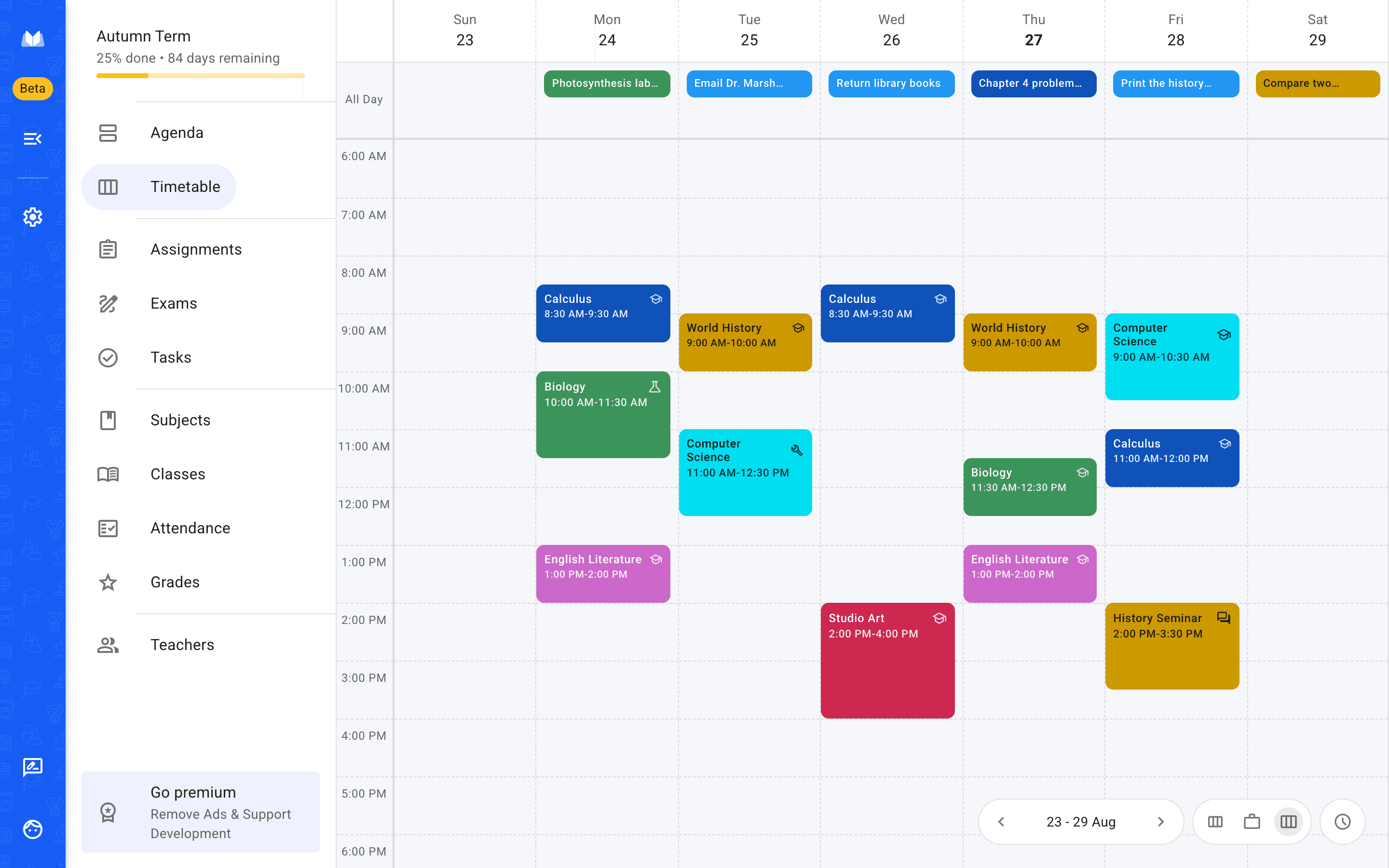
Web — any browser, nothing to install
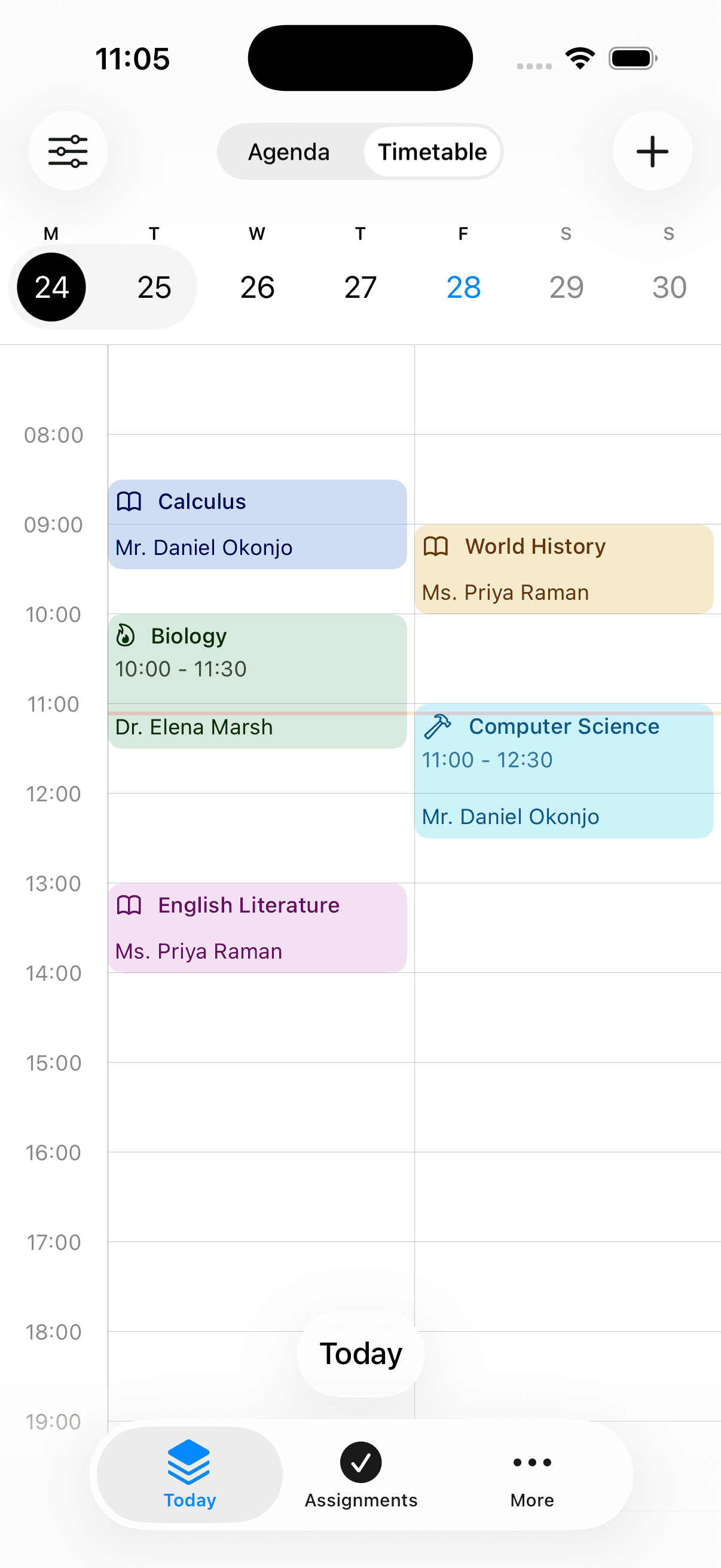
iPhone
Android
- installs on Google Play
- 500,000+
- from 2,370 Play reviews
- 4.3 ★
- languages
- 25
- on web, iPhone and Android
- Free to start
Frequently asked questions
What people ask about using it as their school organizer.
Also worth reading
Start with this week.
Add your classes and the homework you already know about. That alone is usually enough to see whether it's better than what you're doing now.